How to Analyse Images using OSINT
Table of Contents

Open-source intelligence (OSINT) is the practice of collecting and analysing information that’s freely available to the public, from websites and social media to photographs, public records and the small visual details hidden inside everyday images.
Because OSINT relies solely on publicly accessible data, the skill comes from knowing how to spot patterns, connect clues and use open tools creatively to uncover real-world locations.
As part of our recent OSINT Challenge, participants put these principles into practice by analysing a series of images and identifying subtle visual hints to pinpoint four locations in London.
In this blog, we show how each clue could have been solved, highlighting the techniques, search methods and investigative thinking behind each step. These are the approaches we used and others may have followed different, equally valid paths to reach the same answers. This is exactly why OSINT is so creative and versatile. And please note that as this post may be read long after the challenge has ended, some sources or links referenced here may have changed or no longer be available.
Clue 1: On a peaceful crescent linked to a mind that helped shape modern computing
Summary: This clue focuses on identifying a blue plaque and using historical references to confirm the location.
Step 1: Zoom in and identify the key detail
Start by zooming into the original image to look for standout details. Behind the tree, you’ll spot a blue plaque with the name Alan Turing on.
Step 2: Search for the plaque online
A simple Google search of “Alan Turing blue plaque London” returns the English Heritage page dedicated to his plaque – https://www.english-heritage.org.uk/visit/blue-plaques/alan-turing/
This page provides:
– an image of the plaque
– the listed address
– surrounding context
Step 3: Confirm the exact location using the listed address
Comparing this with the challenge image confirms the match (even if the trees have grown since).
Step 4: Google Maps Verification
It’s always good practice to double-check your findings. Search for 2 Warrington Crescent on Google Maps and use Street View to compare the building façade, balcony layout, flags, and plaque placement with the original image to confirm it’s a match.
Final Location:
Alan Turing Blue Plaque
2 Warrington Crescent, Maida Vale, London, W9 1ER
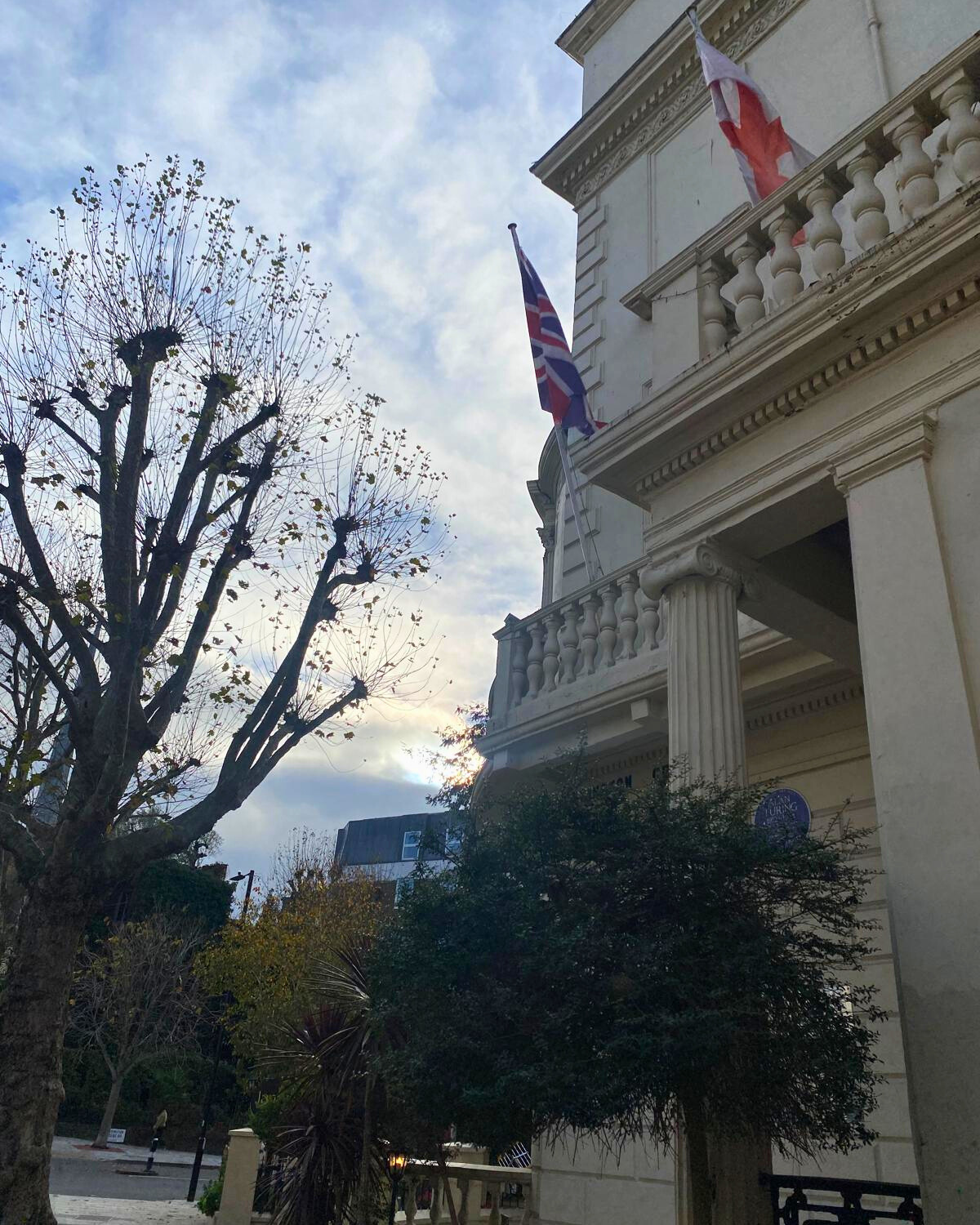
1. Exterior of a building with flags, trees and a balcony
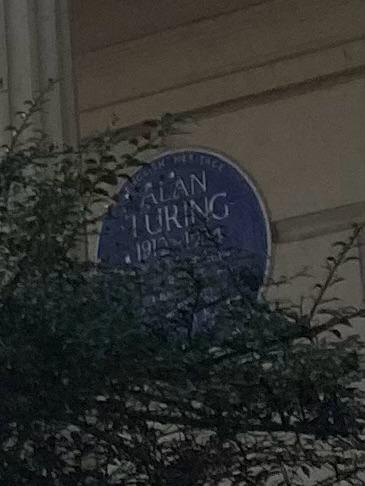
2. Alan Turing plaque up close, hidden behind trees
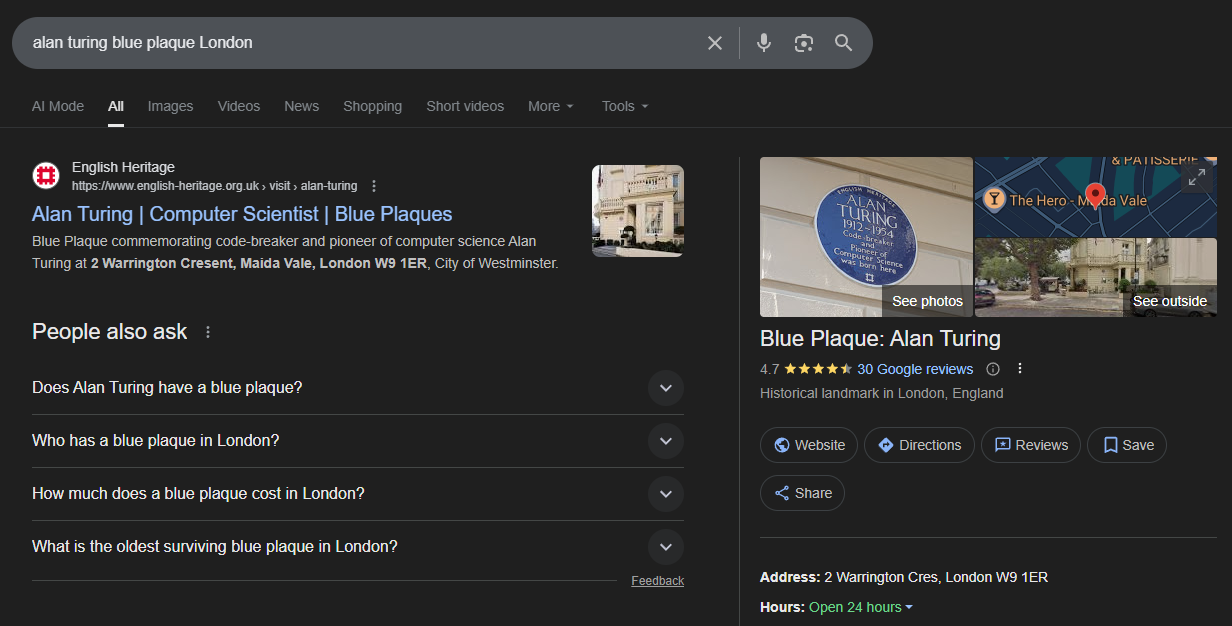
3. Google results identifying the location of Alan Turing’s blue plaque
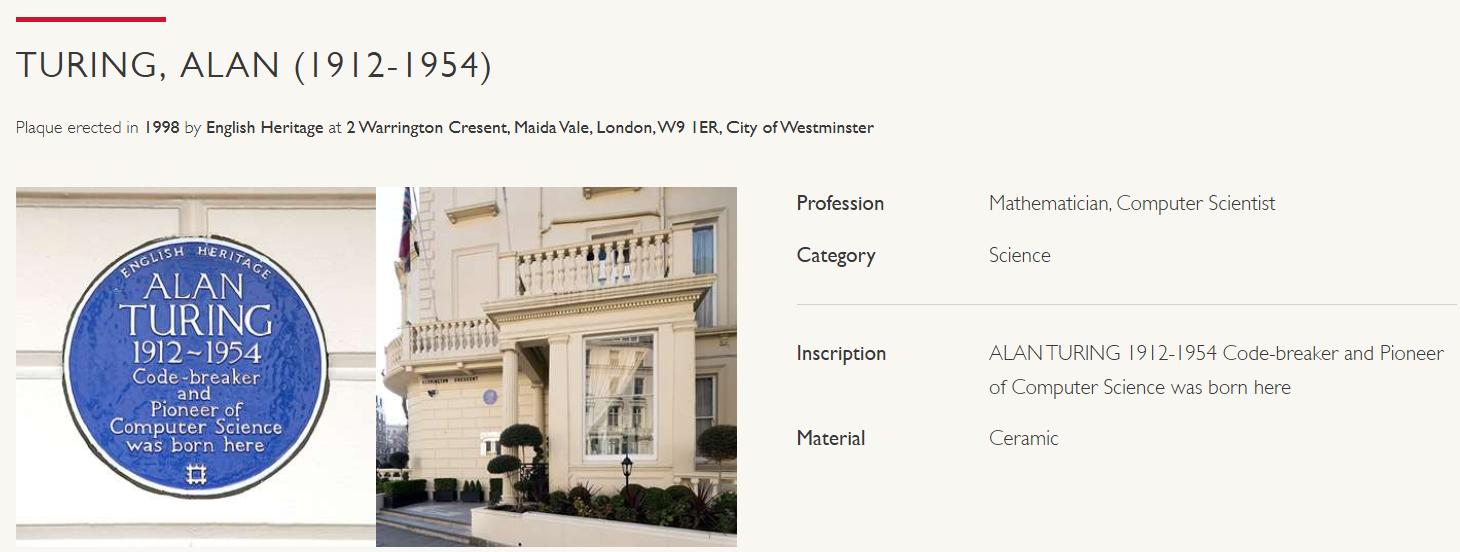
4. English Heritage listing for Alan Turing blue plaque
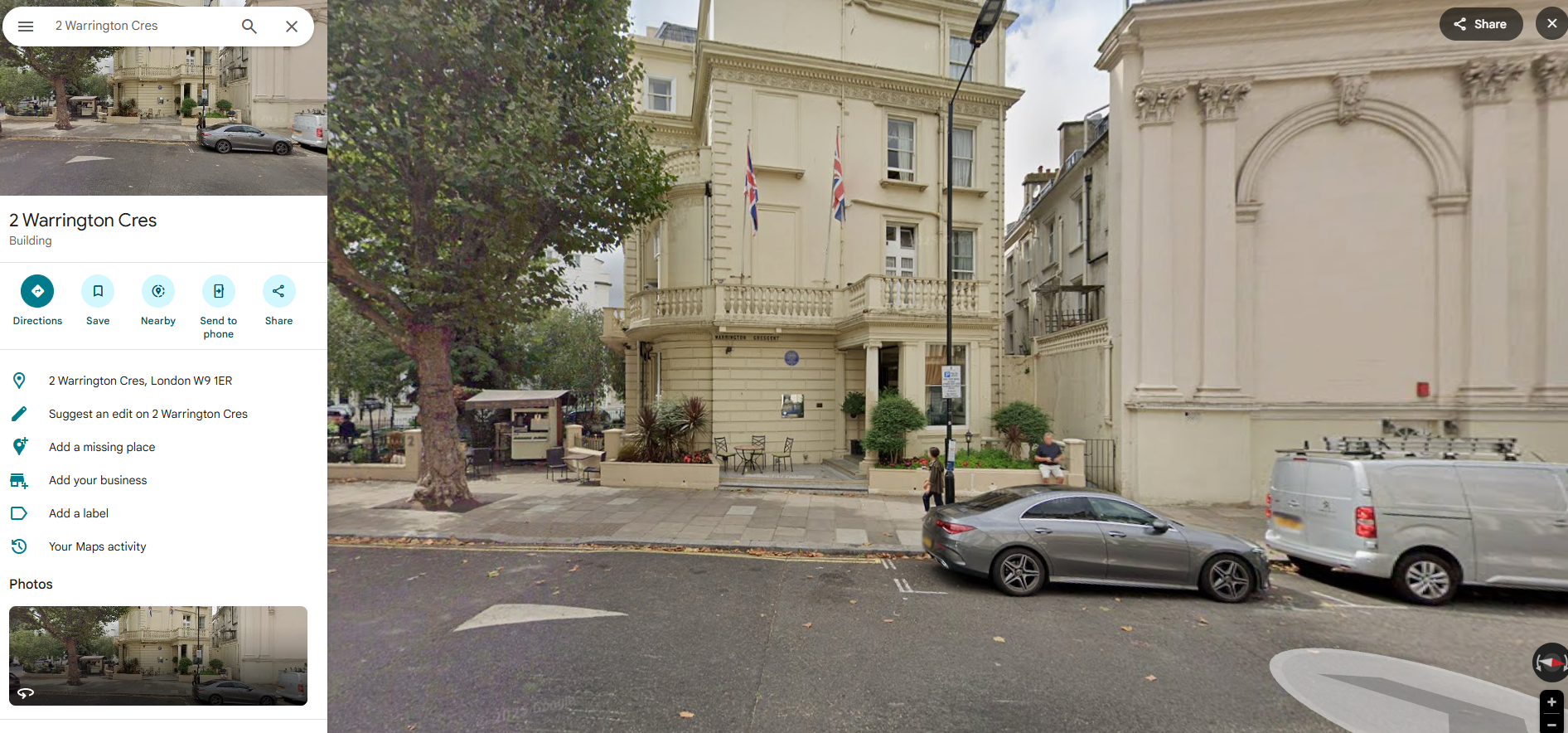
5. Google Maps Street View – Alan Turing Blue Plaque, 2 Warrington Crescent
Clue 2: The kind of shop where you might pick up a great B-side
Summary: This clue uses an event poster to trace back to a music venue, then a nearby record shop.
Step 1: Identify the key visual clue
Zooming into the image reveals part of a gig poster showing “@100 CLUB”.
Step 2: Look up the venue online
A Google search of “100 Club London” brings up the venue’s official website: https://www.the100club.co.uk/
Click the “Events” section in the website’s main navigation header: https://www.the100club.co.uk/100club-events/
Scroll through the event listings until you find the event poster that matches the snippet in the original challenge image and click on it: https://www.the100club.co.uk/clubevents/molotov-outstore-feb-26/
That same poster references Sister Ray, a well-known London record shop.
Step 3: Follow the link to the referenced record shop
Through a Google search of “Sister Ray London” you’ll find its website and Google Business Profile which includes the address: https://sisterray.co.uk/
If you want to be sure, compare Google Images of the storefront to the original challenge photo.
Step 4: Google Maps Verification
To be confident in the result, check 75 Berwick Street on Google Maps. Use Street View to compare the Sister Ray storefront and window layout with the original image to make sure everything aligns.
Final Location:
Sister Ray
75 Berwick Street, London, W1F 8TG
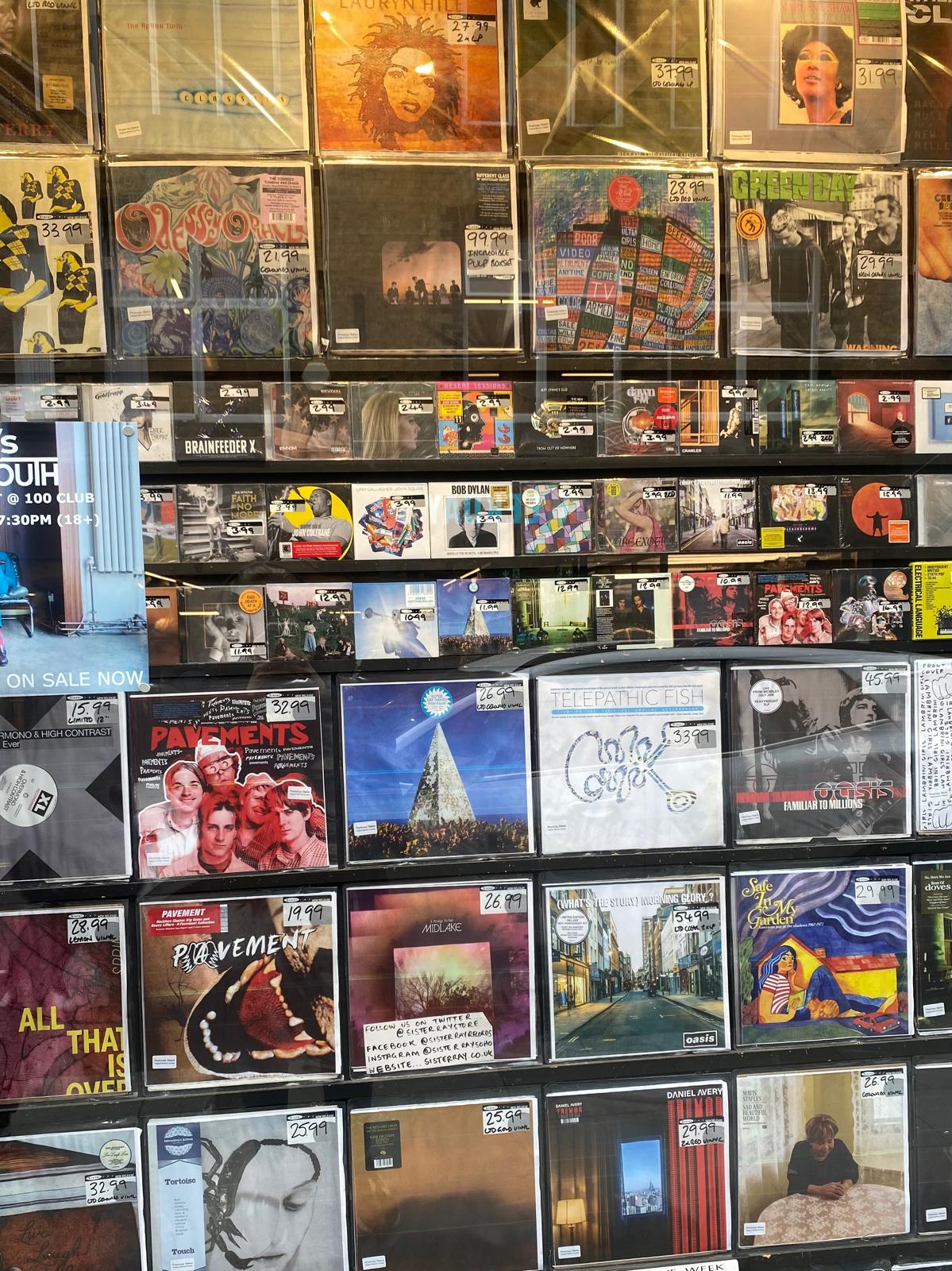
1. Store with Vinyl Display
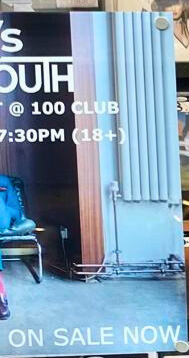
2. Snippet of poster showing the venue 100 Club
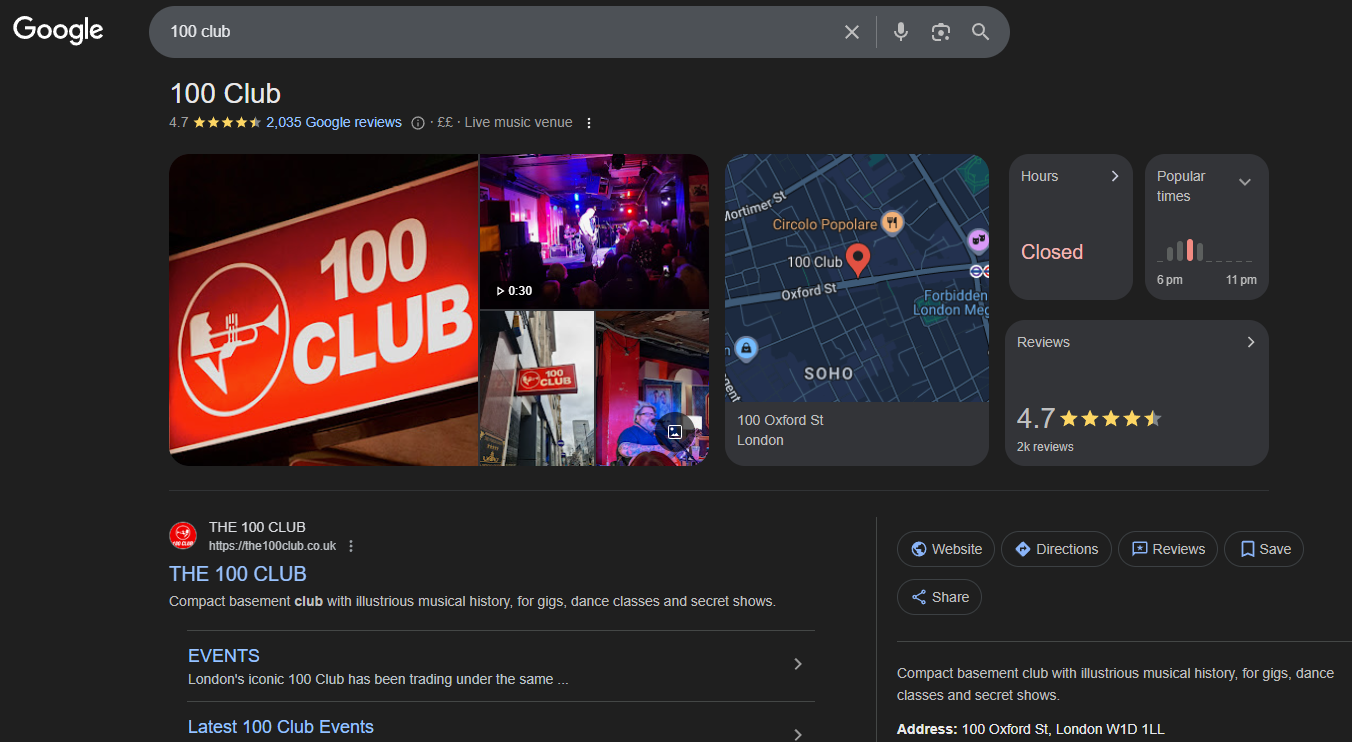
3. Google Search Results for 100 Club London
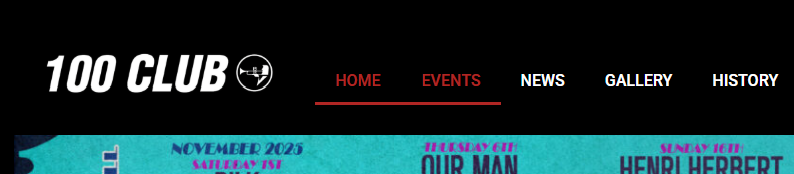
4. 100 Club Website Header Navigation

5. 100 Club Event Listing Website View – The Molotovs Outstore
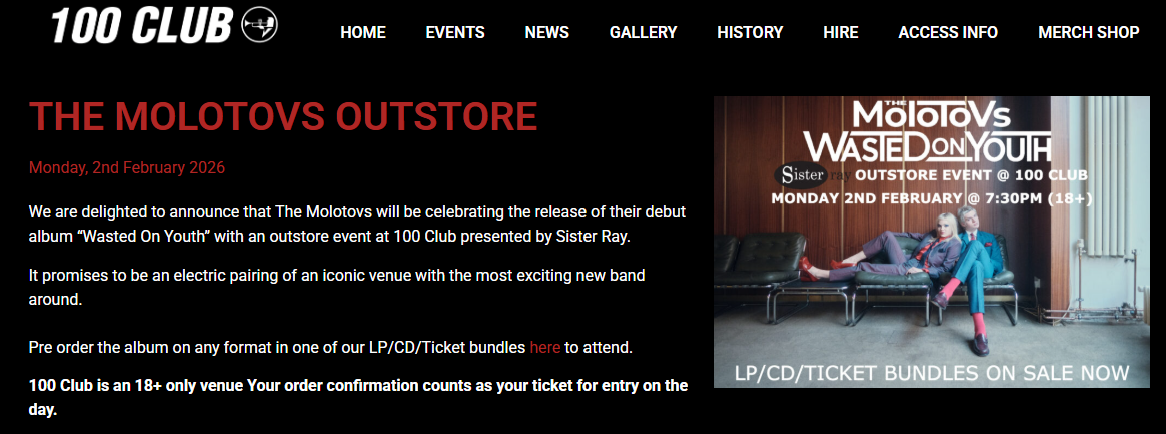
6. 100 Club Event Page – The Molotovs Outstore by Sister Ray
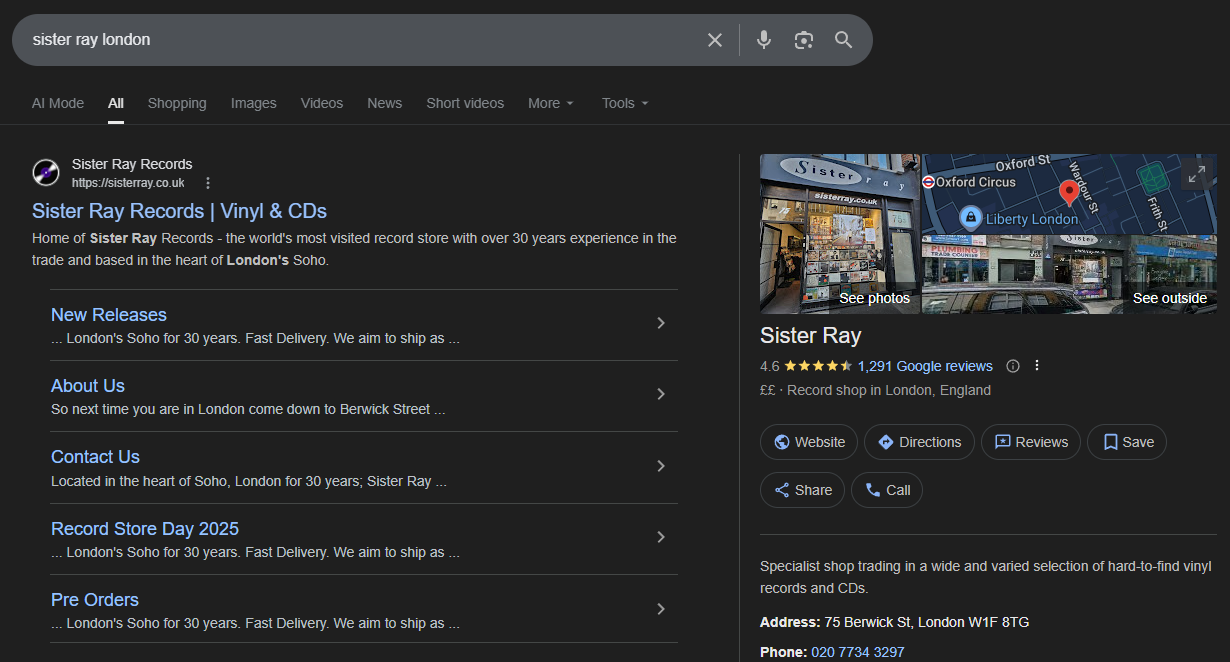
7. Google Search Results for Sister Ray London
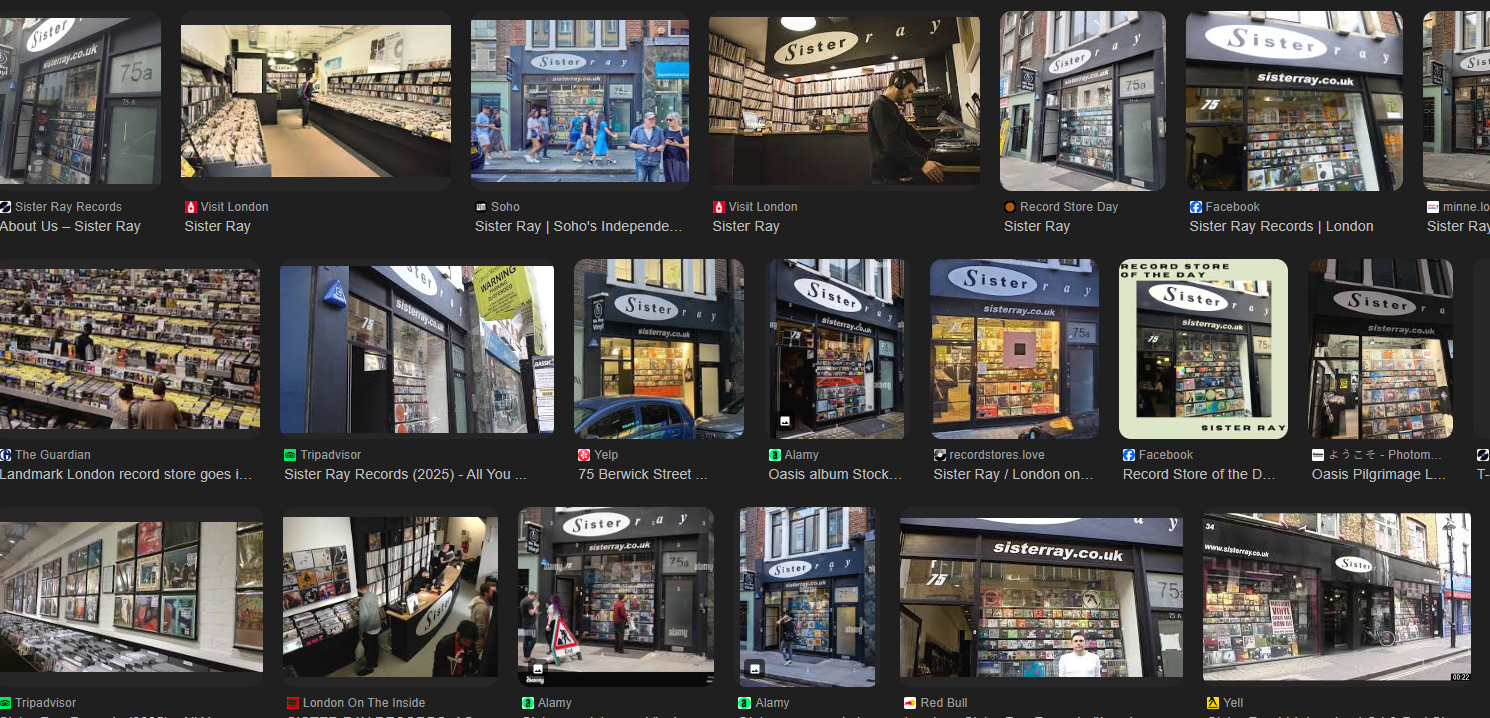
8. Google Image Results – Sister Ray Storefront
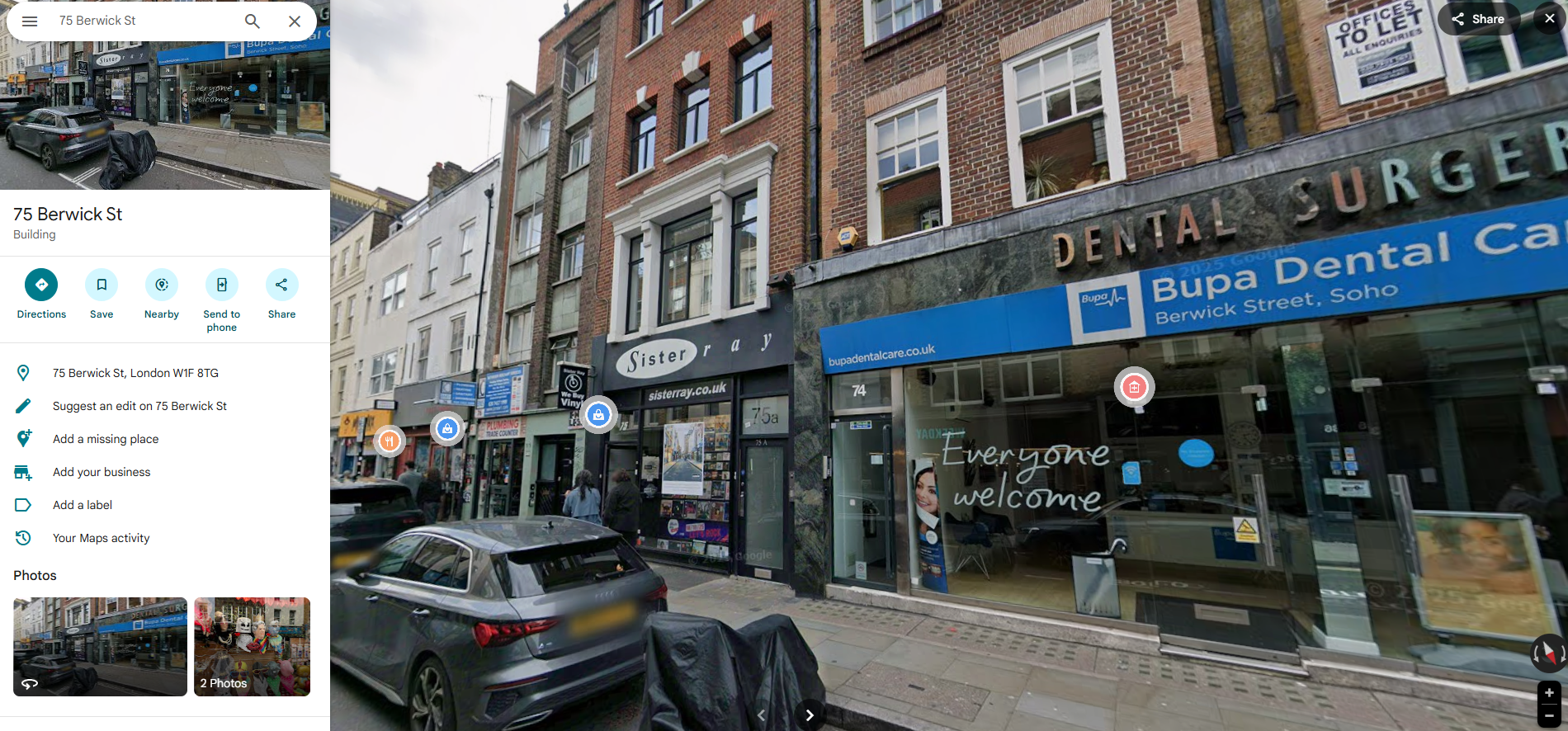
9. Google Maps Street View – Sister Ray Records, 75 Berwick Street London
Clue 3: Today’s exclusive scoop: a pint of cutlery
Summary: This clue uses reverse image search on multiple elements to identify a specific pub.
Step 1: Identify the clear standout element
The magazine on the table is highly recognisable and provides a strong starting point.
Step 2: Use reverse image search to identify the magazine
The reverse image search technique allows you to upload an image so a search engine can find visually similar matches online, helping identify objects, logos, products or publications when no text is available.
- Screenshot the magazine portion.
- Upload it using Google Lens (the camera icon in the Google search bar)
- Review the matches.
Google identifies it as Wetherspoon News which implies the photo was taken inside a Wetherspoon pub: https://www.jdwetherspoon.com/wetherspoon-news-magazine/
Step 3: Use a second reverse image search to pinpoint the exact pub
Next, isolate the carpet pattern as it’s a surprisingly distinctive feature and every Wetherspoons pub has its own unique carpet.
A reverse image search (with “Wetherspoons” added as context) returns two strong matches:
– A listing on Wetherspoons Carpets, a site cataloguing their unique carpet designs: https://www.wetherspoonscarpets.co.uk/details.asp?ID=73&The%20Willow%20Walk
– A matching photo on Wikimedia Commons: https://commons.wikimedia.org/wiki/File:Wetherspoons_carpets-_Willow_Walk,_Victoria.jpg
Both confirm the same location: The Willow Walk.
Step 4: Google Maps Verification
For an extra layer of confirmation, look up The Willow Walk on Google Maps. However, for indoor locations Street View won’t help so Google Maps’ “Vibe” tab and user-uploaded photos are ideal here. Search for The Willow Walk and browse the interior images to compare key details such as the carpet pattern, furniture style, wall art and bar layout. These visual matches confirm that the image was taken inside The Willow Walk pub.
Final Location:
The Willow Walk Wetherspoons
25 Wilton Road, London, SW1V 1LW
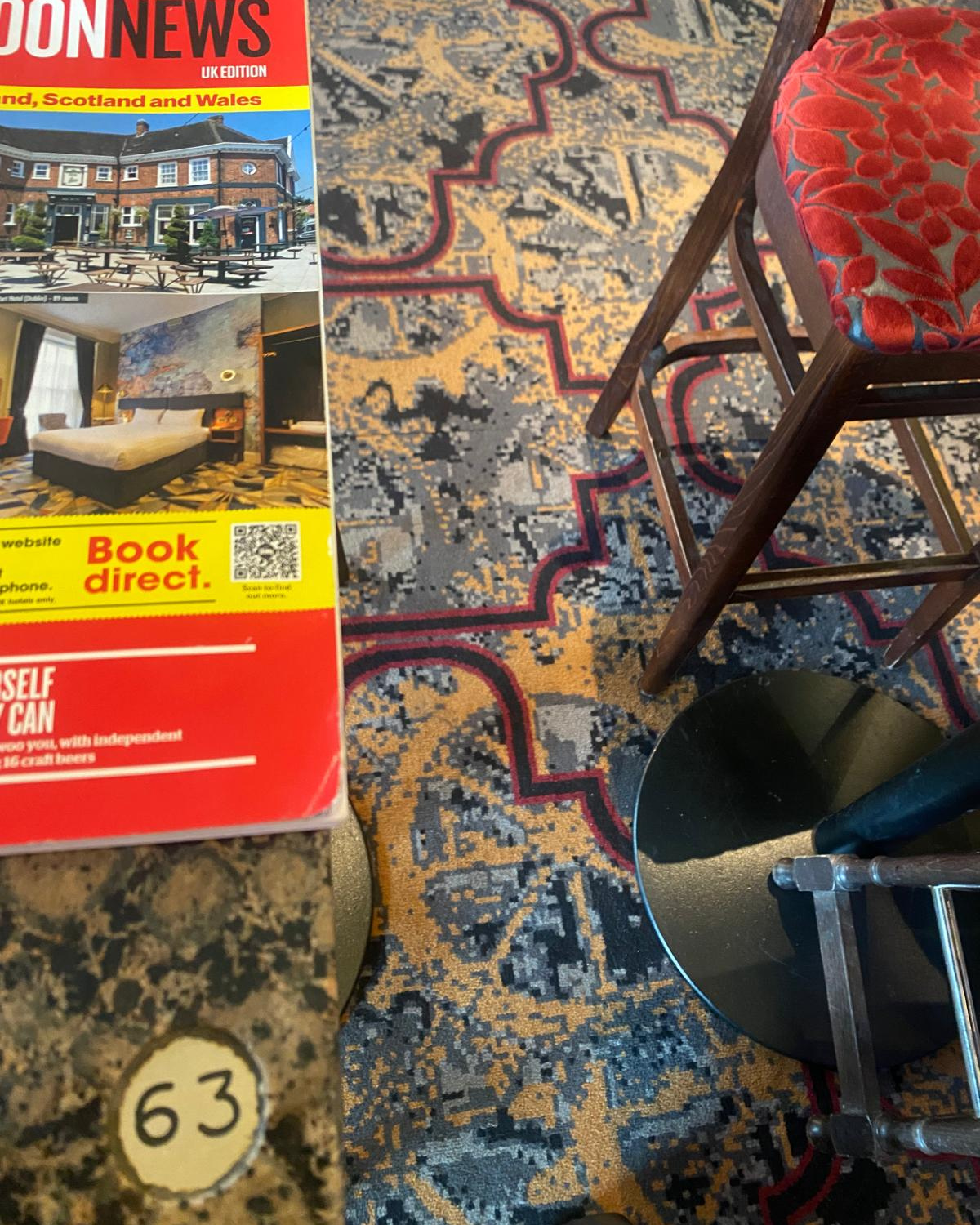
1. Patterned Carpet and Magazine

2. Google Homepage Search Bar
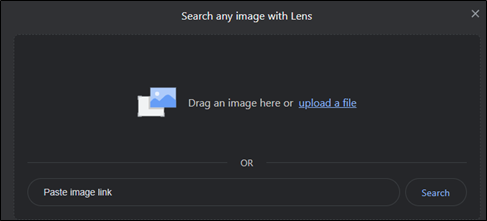
3. Google Lens Upload Interface
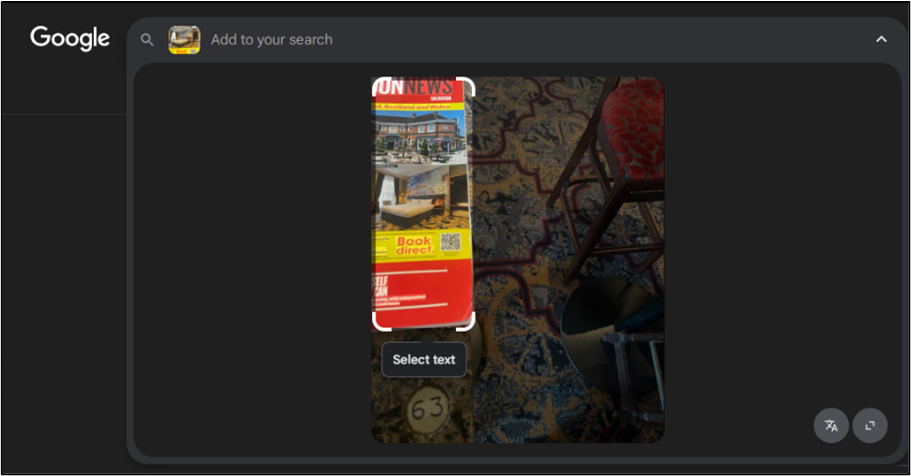
4. Google Lens Scan of Magazine

5. Google Visual Match Wetherspoon News Cover

6. Wetherspoon News Magazine Webpage
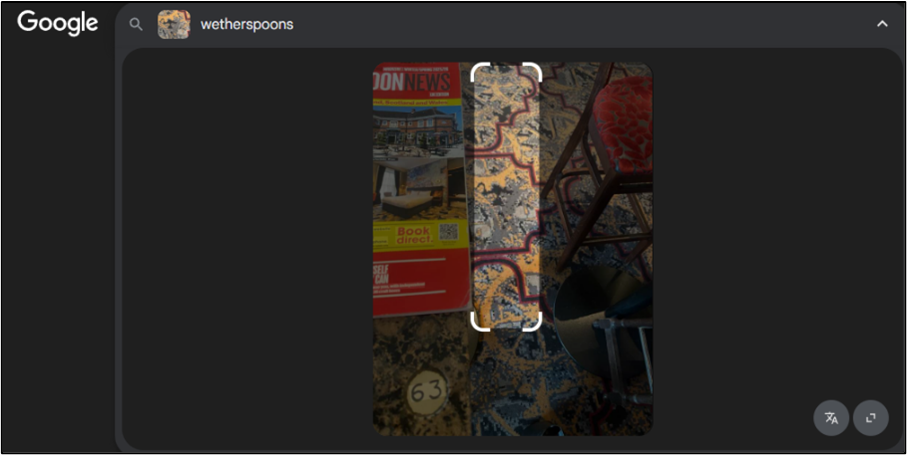
7. Google Lens Search for Wetherspoons Carpet
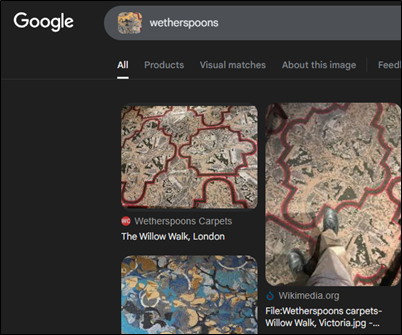
8. Google Search Results for Wetherspoons Carpets
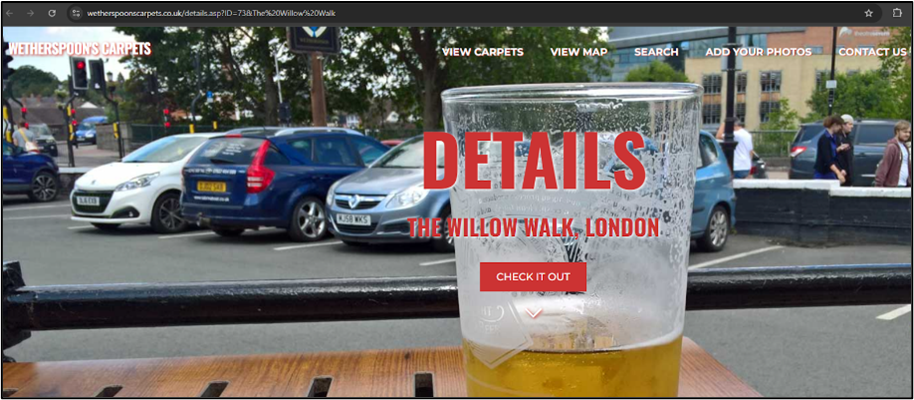
9. Wetherspoons Carpets Website – The Willow Walk Page
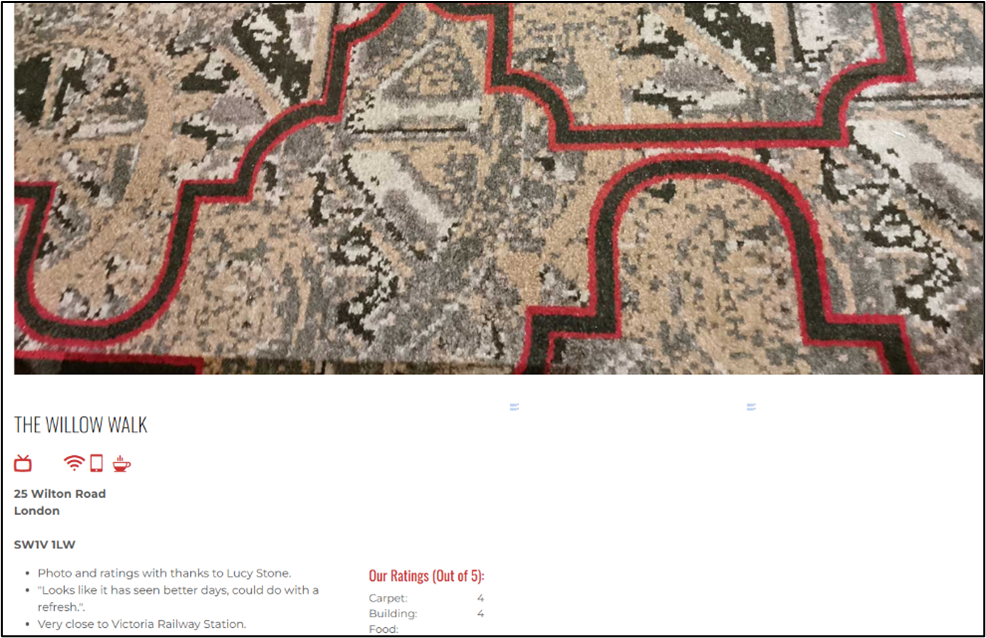
10. The Willow Walk Pub Carpet Close-Up
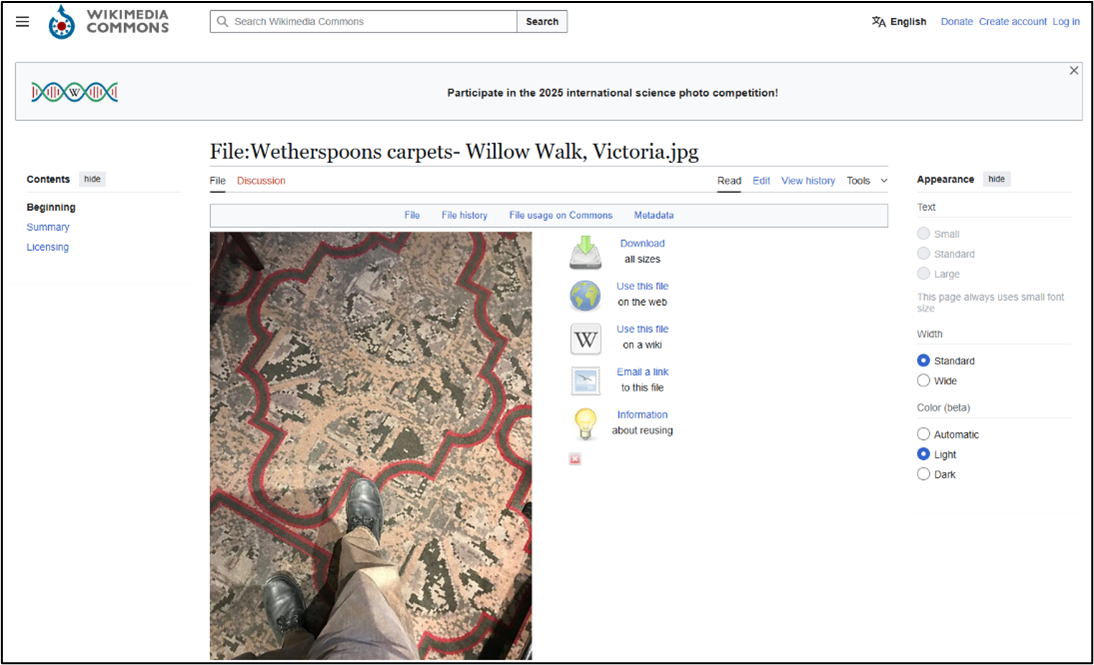
11. Wikimedia Page for Wetherspoons Willow Walk Carpet
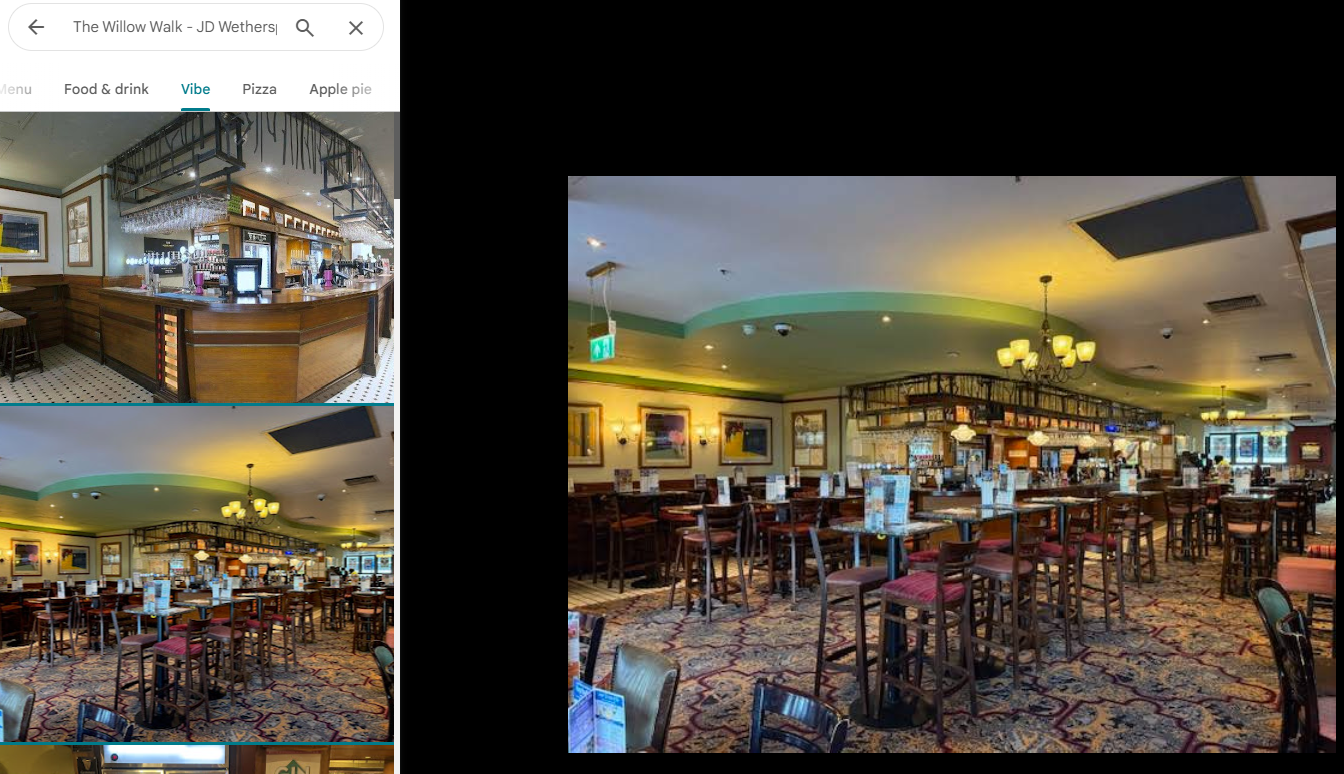
12. Google Maps Interior – The Willow Walk JD Wetherspoon Pub (Vibe View)
Alternative method:
Once you know it’s a Wetherspoons, whether you did the steps above or guessed the clue:
1. Google search “Wetherspoon Carpets” and click on the site: https://www.wetherspoonscarpets.co.uk/
2. Click “View Carpets” in the main navigation bar: https://www.wetherspoonscarpets.co.uk/carpets.asp
3. Either scroll or (quicker) press Ctrl + F (Windows) or Cmd + F (Mac)
4. Type the word/phrase you want to locate, so in this case “London”
5. Use the arrows or Enter button to jump between results which in this case is 2 results
6. Look for the matching carpet image
7. Click on “The Willow Walk, London” to open its page and confirm the location: https://www.wetherspoonscarpets.co.uk/details.asp?ID=73&The%20Willow%20Walk
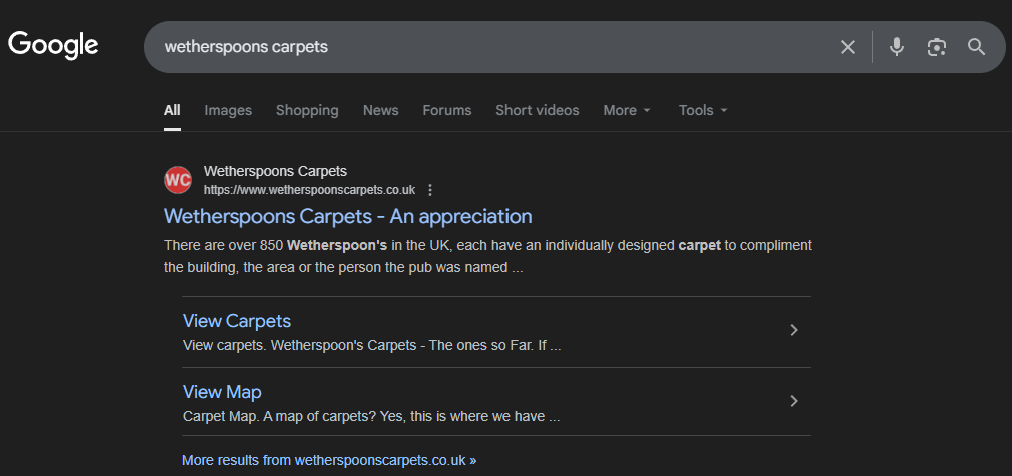
1. Google Search Results for Wetherspoons Carpets
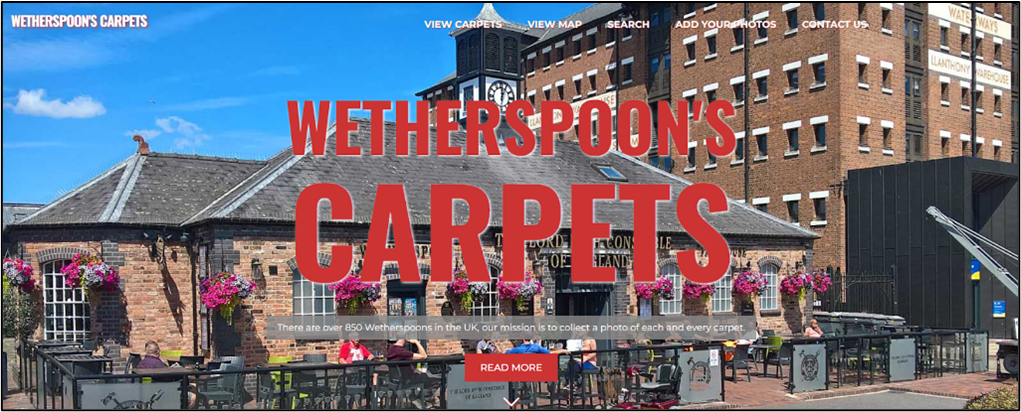
2. Wetherspoons Carpets Website Homepage
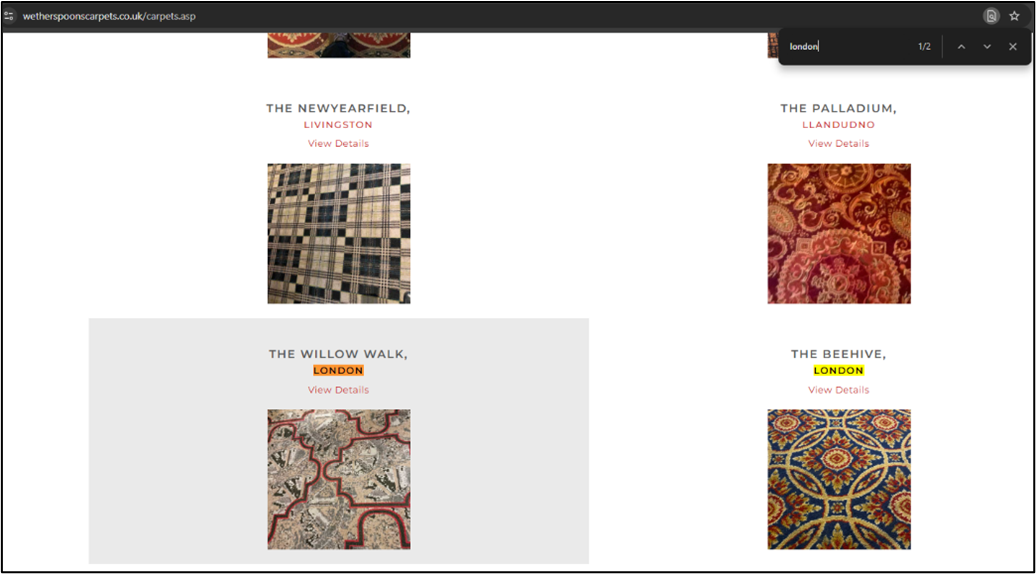
3. Wetherspoons Carpets Listings Showing Willow Walk London
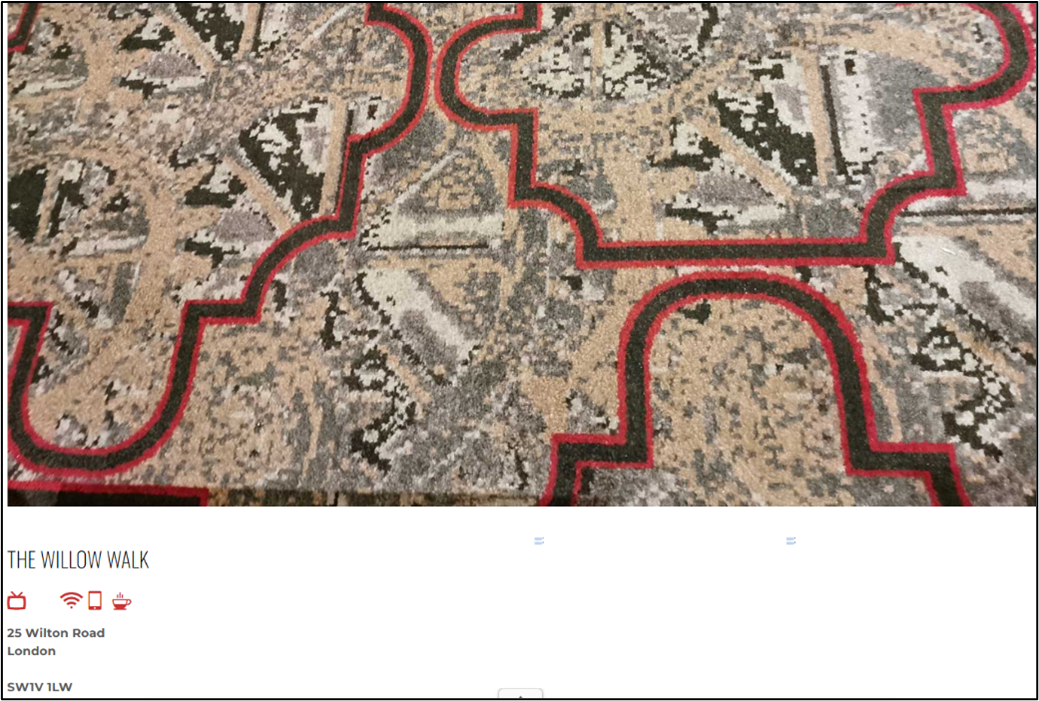
4. The Willow Walk Carpet Pattern Close-Up
Clue 4: The 1st Edition
Summary: This clue uses signage, a parking code, and an estate agent board to triangulate the exact address.
Step 1: Identify the key visual clues
Zooming into the image reveals:
– a parking sign with code 61075
– a For Rent sign for Forest Real Estate
– an Islington Council Lamppost Sticker
Step 2: Search the parking code online
A Google search “london parking code 61075” leads straight to the parking locator page: https://www.myringgo.co.uk/islington/parkinglocator/61075
This page provides the street name Goswell Road, in the Borough of Islington – also aligning with the lamppost sticker seen in the challenge image.
Step 3: Use the estate agent sign to narrow down the exact address
Search for “Forest Real Estate London” in your search engine and click on their website: https://www.forestrealestate.co.uk/
Go to their Properties section in the main navigation bar: https://www.forestrealestate.co.uk/properties/
Click on either their Offices or Retail & Leisure pages as we can tell it will be one of those two from the challenge image.
We know that the road name is Goswell Road from Step 2 so enter this into the search section. Two listings will appear: website
Step 4: Compare the images from both listings
- 88 Goswell Road: https://www.forestrealestate.co.uk/property/88-goswell-road-london/→ The frontage does not match the challenge image.
- 116–120 Goswell Road: https://www.forestrealestate.co.uk/property/116-120-goswell-road-clerkenwell/→ The frontage matches perfectly, confirming the location.
Step 5: Find the postal code
A quick postcode search confirms the full address.
Step 6: Google Maps Verification
It’s always good to double check the location, so, search for 116–120 Goswell Road on Google Maps. Street View allows you to match the building frontage, nearby signs and surrounding structures to the original image.
Final Location:
116–120 Goswell Road, Clerkenwell, EC1V 7DP
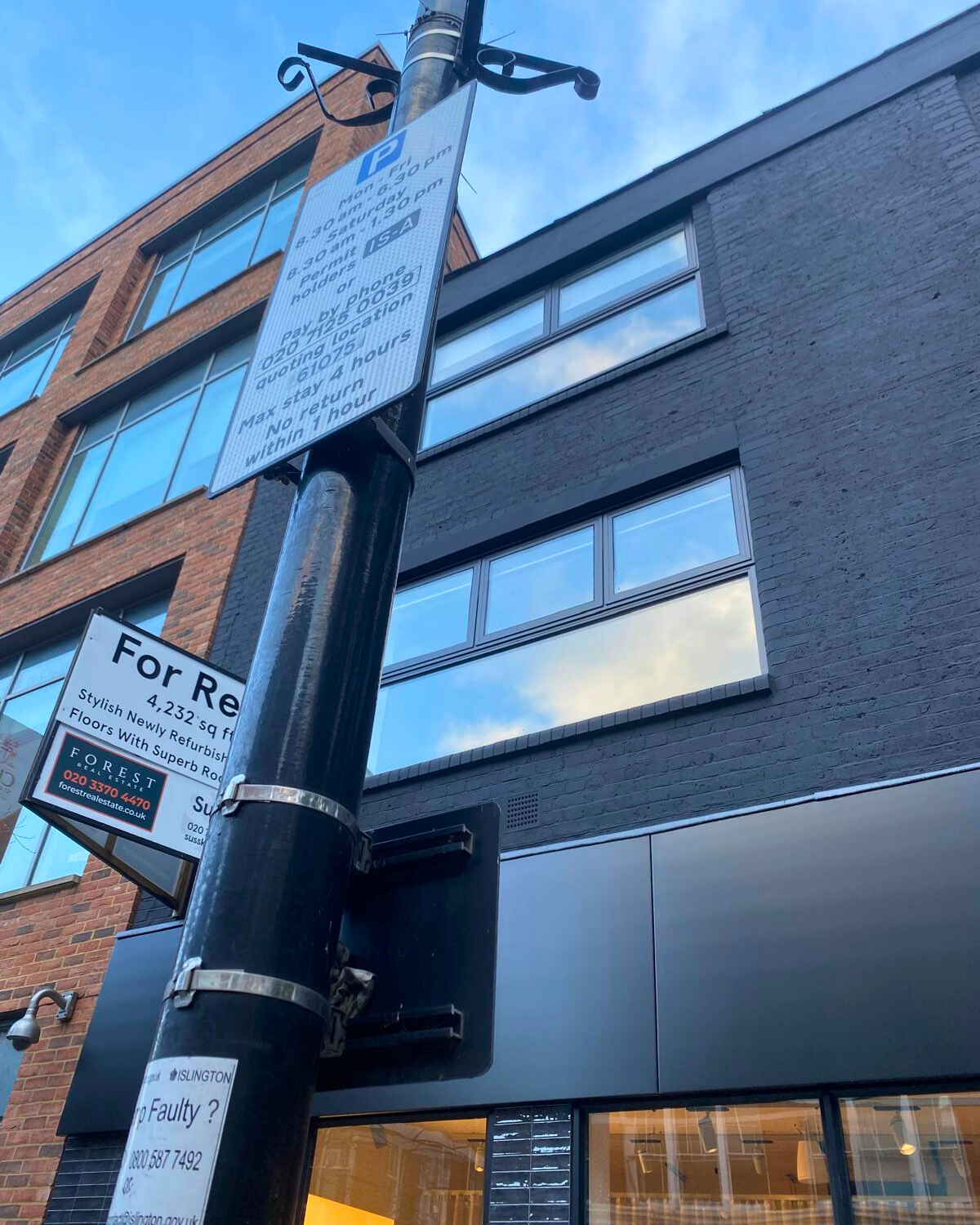
1. Parking Sign and Commercial Building
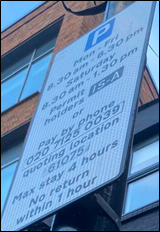
2. London Parking Sign with Code 61075
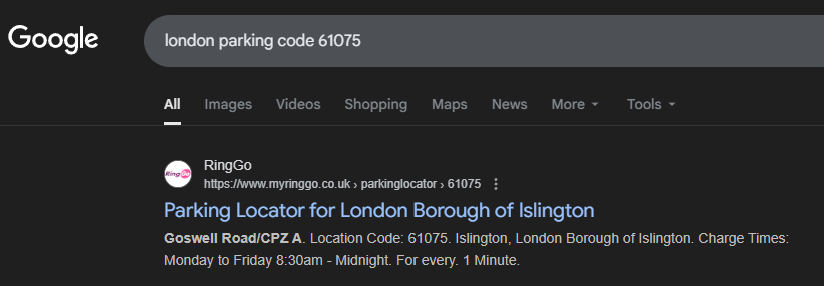
3. Search Results for Parking Code 61075 – Goswell Road Islington
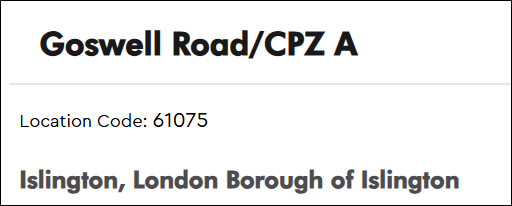
4. RingGo Page for Goswell Road Parking Zone CPZ-A
5. Islington Council Lamppost Sticker
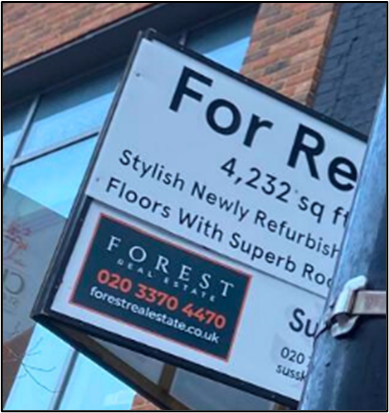
6. Forest Real Estate To-Let Sign on Building
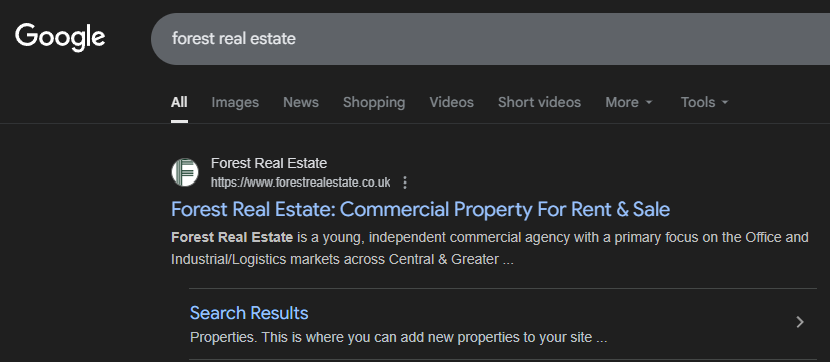
7. Search Results for Forest Real Estate London

8. Forest Real Estate Website Homepage
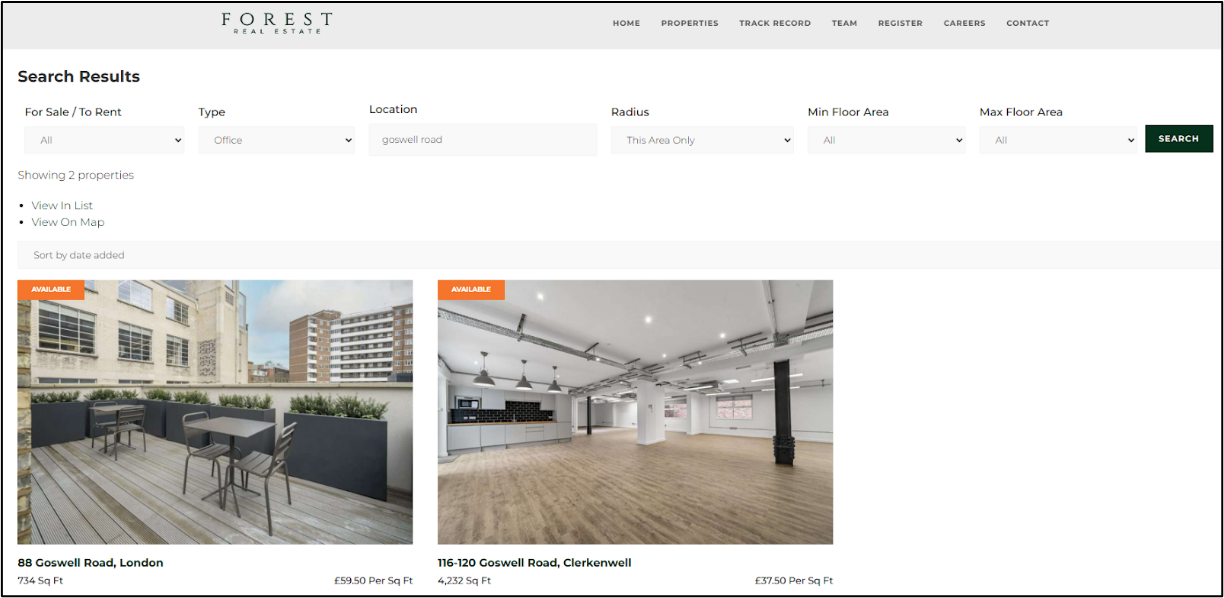
9. Forest Real Estate Listings for Goswell Road
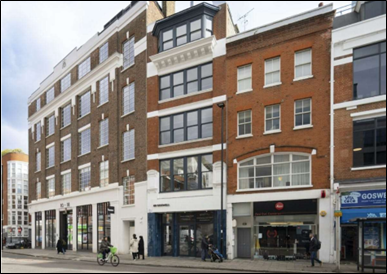
10. Street View of Buildings on Goswell Road
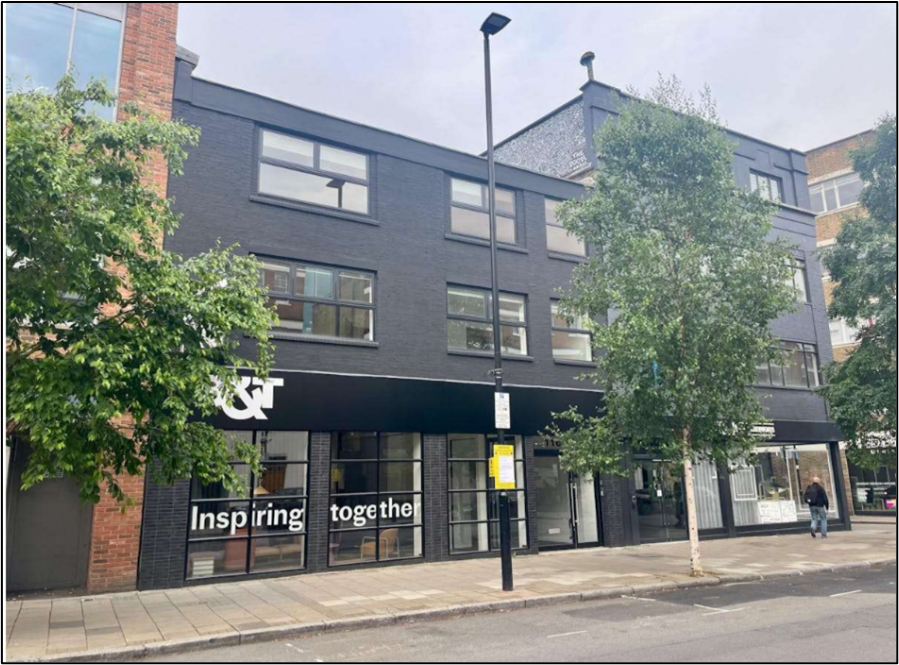
11. Another Street View of a Building on Goswell Road London
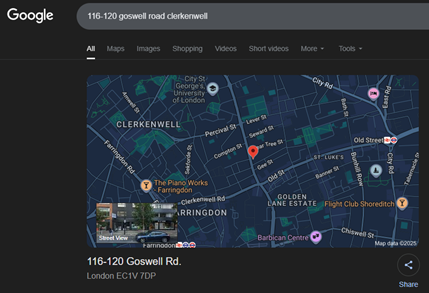
12. Google Maps Search Result for 116–120 Goswell Road, Clerkenwell
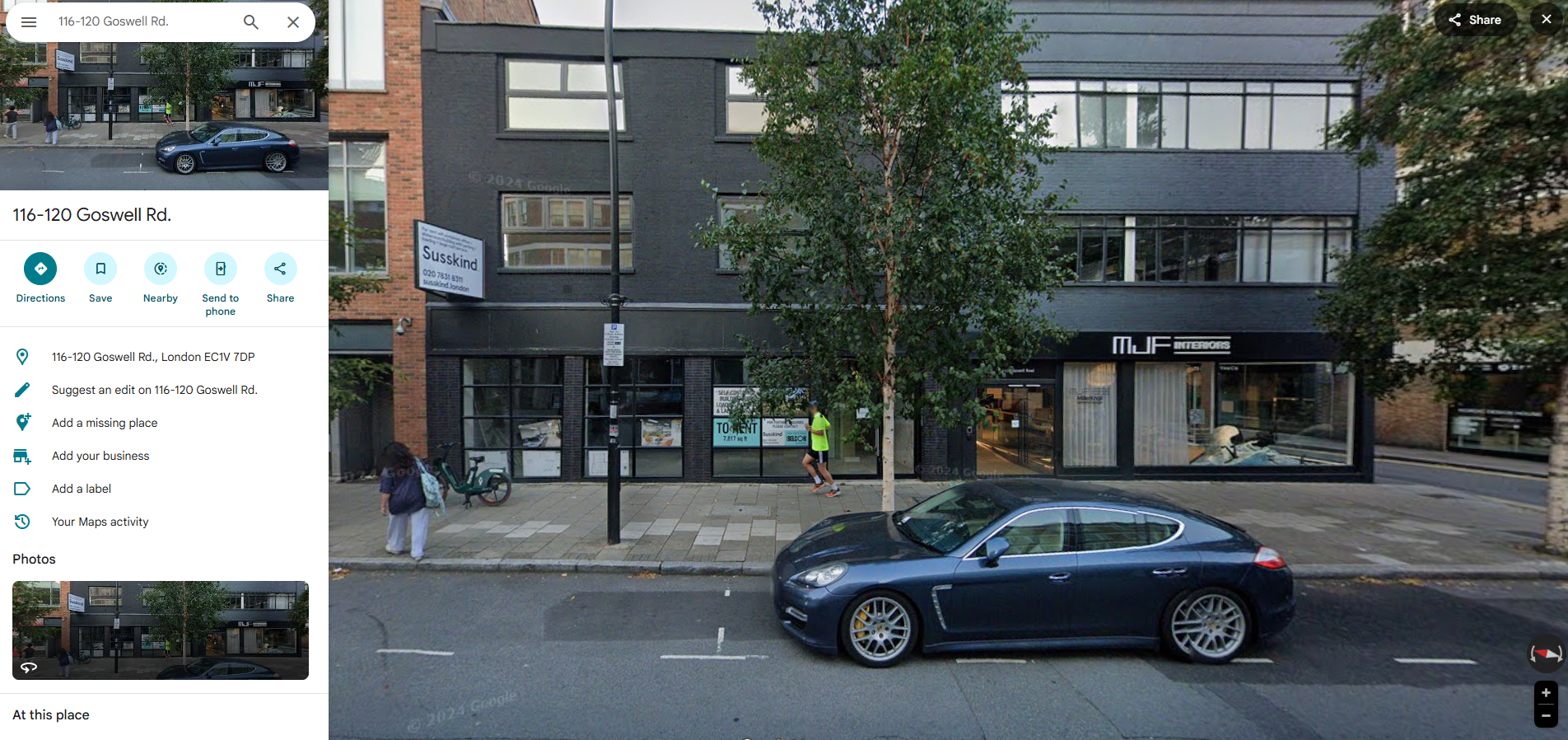
13. Google Maps Street View – 116–120 Goswell Road, Clerkenwell London
Additional context (for those curious about the clue name)
“The 1st Edition” references the venue of the first BSides London event in 2011: https://bsides.london/previous
Although that original venue no longer exists, archived pages confirm its location in the same area, adding historical depth to the clue: https://archive.upcoming.org/venue/the-skills-matter-exchange-623709
Final Thoughts
This challenge demonstrated the power of OSINT, not through secret tools or restricted data but through careful observation, creative thinking and smart use of publicly available information. From blue plaques and gig posters to carpet patterns and parking codes, every detail has the potential to unlock a real-world location.
We hope this walkthrough inspires you to explore OSINT safely, ethically and enthusiastically. And, to appreciate just how much information can be uncovered when you know what to look for.